


Common App
3.374.00 Reviews
App Specs
- Version
- 2.5
- Updated On
- License
- Free
- Downloads
- 1,000,000+
- Developer
- The Common Application
- Categories
- Education
- Platform
- Android
Screenshots
 Analysis by AppCompare
Applying to college can feel like a second job, especially when every institution seems to have its own combination of deadlines, forms, essays, and supporting documents. I found Common App most useful as a central workspace for that process rather than as a magic shortcut. It does not remove the effort involved, but it gives students one familiar place to organize a large part of the application journey. The app is free, aimed at Everyone, and developed by The Common Application.
Its basic promise is simple: help you begin and manage college applications from a phone. In practice, the value depends on how deliberately you use it. A student who opens it only when a deadline is close may find it stressful and limited. Someone who builds a routine around checking requirements, reviewing entries, and tracking progress can get much more from it. My main recommendation is to treat Common App as an organizing tool, not as a replacement for careful application planning.
How the everyday application workflow feels
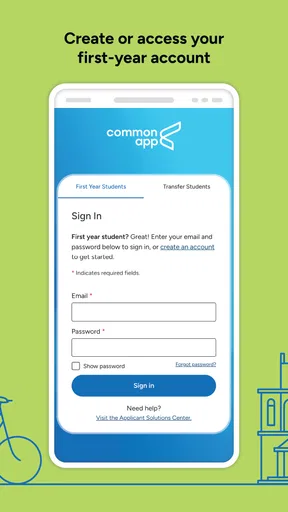
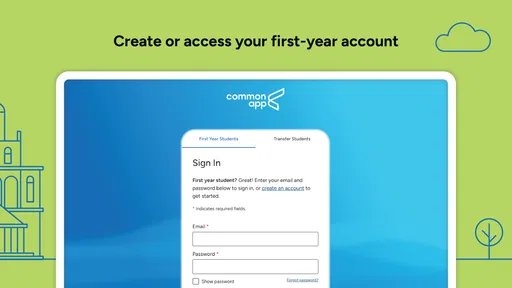
The natural starting point is creating or accessing your Common App account and then building a personal application record. The central idea is to enter information once where possible and use it across applications, instead of repeatedly typing the same background details into separate college websites. That approach is especially helpful for basic personal information, education history, activities, and the main application essay.
I would not rush through the first setup. The early questions may look routine, but small mistakes in names, dates, school details, or contact information can create confusion later. My preferred workflow is to work in short sessions: complete one section, pause, and review it before moving on. This is less tiring than trying to finish everything in one sitting, and it makes errors easier to spot.
The activities section deserves particular attention. Students often try to list every club, job, sport, volunteer role, or personal project they have ever touched. A better approach is to identify the experiences that show commitment, responsibility, growth, or a meaningful interest. The app gives you a structured place to present these experiences, but it cannot decide which ones best represent you. That judgment still belongs to the student, ideally with feedback from a counselor or trusted adult.
The same applies to the essay. Common App can be the place where you manage the main personal statement, but it is not a writing coach that can supply your voice. I recommend drafting outside the app first, keeping a separate copy, and then transferring the polished version when you are satisfied. This makes it easier to compare revisions, ask someone to review the text, and recover from an accidental change.
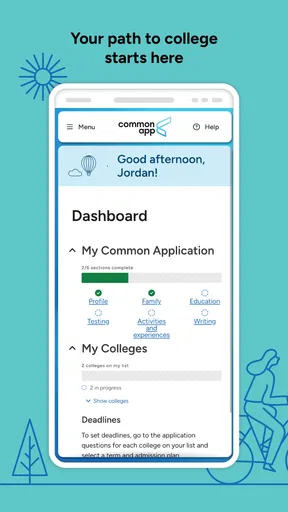
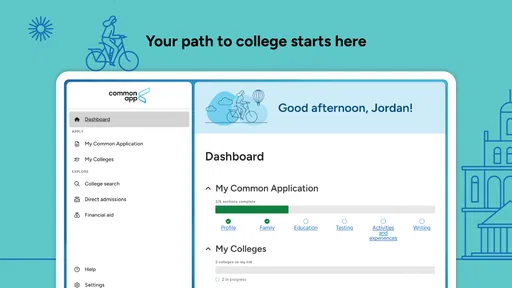
A realistic evening workflow might look like this: after school, I would spend a short block checking the application dashboard, choose one unfinished section, and compare my entries with the information in my school records. Later, I would review the college-specific questions separately instead of assuming that completing the shared application means every college is ready to submit. That distinction prevents a common mistake: confusing general progress with a fully finished application.
Worth Reading Before You Choose

EA SPORTS FC Mobile 26 Is a Bigger Football Game, but It Takes Time

Flipboard Shows What News Apps Must Do Beyond the Feed

Switching to Android Auto Means Rethinking Your Driving Routine

Google Calendar Makes a Crowded Week Easier to Manage

Ludo King Makes the Most of the Minutes Between Plans

Baby Panda World Brings Quick Play to Modern Phones, but Its Game Library Feels Busy
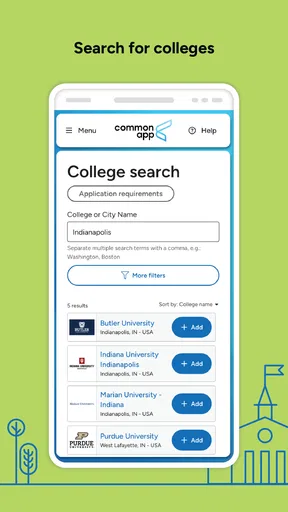
Common App is also useful for students applying to several colleges because it reduces repeated entry. That convenience has a trade-off, though. Reusing information can encourage people to skim the parts that should be customized. I would use the shared sections for consistency, then slow down for each institution's individual questions, writing requirements, and submission details.
Build a reliable routine before deadlines arrive
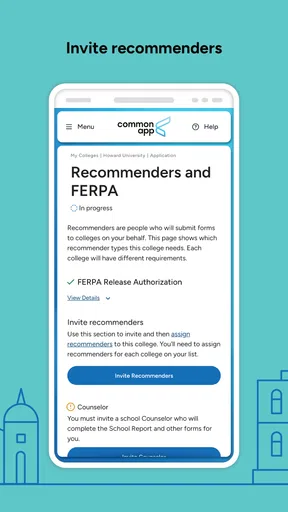
The strongest habit is a weekly review rather than a last-minute scramble. I would keep a simple offline checklist with each college, its required materials, and the next action needed. Then I would use the app to update the application itself. This two-part system matters because an application platform shows your digital progress, while a separate checklist helps you remember conversations, school documents, recommendation requests, and personal tasks that may sit outside the app.
Another useful habit is reading every completed answer aloud. This catches awkward wording and inconsistent details that are easy to miss on a small screen. For longer writing, I would review it on a larger device if available, then return to the app for a final check. The phone is convenient for monitoring progress, but convenience is not the same as the best environment for editing an important essay.
Students also often wonder whether using the mobile app is enough. For quick checks, short edits, and keeping track of progress, I found it practical. For extensive writing, comparing several documents, or carefully checking a complex application, a browser on a larger screen is usually more comfortable. The best choice is not either-or: use the app for access and routine monitoring, and use the environment that gives you the clearest view when accuracy matters.
Settings and account details worth checking
There are no settings that can compensate for incomplete information, so I would begin with account and profile accuracy. Check the email address you use, confirm that your education details are consistent with your school records, and make sure your personal information is entered exactly as you intend it to appear. If a parent, counselor, or teacher helps you review the application, decide in advance which parts they are checking so multiple people do not create conflicting edits.
Device and notification habits are worth considering as well. If you allow application-related notifications, treat them as reminders rather than proof that an application is complete. I would still open the relevant application and inspect its requirements. Notifications can prompt action, but they do not replace a deliberate final review.
It is also sensible to keep your account access details secure and to avoid relying on a single device. If your phone is lost, replaced, or unavailable during an important period, you should still know how to access your account through another supported route. This is a general account-management precaution, but it is particularly important when several applications depend on one login.
Before submitting anything, I would check the application in a quiet session with no distractions. Look for unfinished sections, review the essay after it has been placed into the application, and inspect college-specific requirements one institution at a time. The goal is not simply to see a completed progress indicator; it is to confirm that the content is accurate, appropriate, and actually intended for that college.
One setting-related trade-off is convenience versus privacy on a shared device. If siblings, parents, or friends use the same phone or tablet, do not assume that closing the app is enough to protect your application. Use the device's normal account and lock-screen protections, and avoid leaving sensitive application information visible. The app is designed for managing personal education information, so your own device habits matter.
Faster patterns that save time without lowering quality
The quickest users are not necessarily the ones who type fastest. They reduce rework. I would prepare a small personal reference document containing commonly needed details such as school information, activity dates, role descriptions, and a rough list of honors or responsibilities. Keep it private and update it carefully. When entering information into Common App, this gives you a consistent source to check rather than reconstructing details from memory each time.
For activities, draft concise descriptions before opening the app. Focus each one on what you did, how regularly you participated, and what responsibility or result came from it. This prevents the common problem of writing vague descriptions under pressure. It also makes it easier to notice when two entries overlap and should be combined or presented differently.
Another efficient pattern is to separate collection from polishing. During one session, gather missing facts and fill straightforward fields. During another, improve wording and check consistency. Mixing research, writing, editing, and decision-making in the same short session can make the process feel chaotic. Separating those tasks gives each visit to the app a clear purpose.
I would also use a “next smallest step” rule. Instead of telling yourself to finish an entire application, choose a task such as reviewing education history, confirming one activity, or checking one college's additional questions. This is especially helpful for students balancing schoolwork, employment, family responsibilities, or several applications at once.
Common App's shared structure makes it tempting to duplicate an essay or response everywhere. That can be efficient when the prompt genuinely matches, but it can also make an application sound generic. My faster pattern is to keep a strong core draft while creating a separate note for each college explaining what must be adapted. This preserves efficiency without forgetting that the reader at each institution may be asking something different.
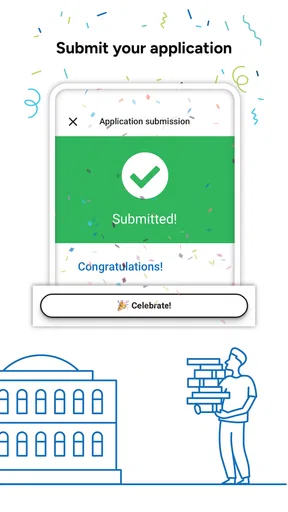
Students sometimes ask whether they should submit as soon as the visible sections look finished. I would not. A short delay for a final review is usually more valuable than immediate submission. Read the application as a stranger would, confirm that the selected colleges are correct, and make sure the final version reflects your intended information. Speed is useful only when it does not create preventable corrections.
Where the app reaches its limits
Common App is not a complete college-admissions command center. It helps organize an important portion of the application, but students still need to understand each college's own requirements and processes. Some parts of an application journey may involve school staff, recommendation providers, testing services, financial-aid processes, or separate institutional systems. I would never assume that an entry inside the app automatically handles every related obligation.
This is the most important limitation for families who want one universal checklist. The platform can centralize much of the shared application work, but colleges may differ in what they ask for and how they handle additional materials. A student who applies widely should maintain a college-by-college record rather than trusting one general completion view.
The mobile format also has practical limits. Reviewing long essays, comparing multiple versions, and checking detailed information on a small screen can be tiring. If you have access to a computer, I would use it for substantial writing and final proofreading. The app is valuable because it travels with you, not because a phone is always the ideal tool for every task.
Another limitation is that organization cannot solve uncertainty about what to say. Students who are still choosing activities, identifying their strongest experiences, or deciding how to explain a complicated academic path may need human guidance. A counselor, teacher, or trusted mentor can help with context and strategy in ways an application interface cannot.
The public response is mixed enough to keep expectations realistic: Common App has an average rating of 3.3 from around 1,300 ratings, alongside more than a million installs. I read that as a sign of a widely used but not universally smooth experience. The app's importance does not guarantee that every interaction will feel effortless, so I would save work carefully, avoid waiting until the final moment, and keep my own notes outside the platform.
Its current version is 2.5 and it runs on Android 6.0 or later. That makes checking device compatibility straightforward before a busy application period. Students should also keep the app updated through their normal app store process, while remembering that an update does not change the need to review application-specific instructions.
Who should skip relying on it? A student applying only to colleges that use entirely separate application systems may gain little from making it the center of their workflow. It is also not the right primary tool for someone looking for detailed essay instruction, personalized admissions counseling, or a full financial-aid planner. In those cases, a writing tool, counselor, or college-specific resource may be better suited to the missing need.
My verdict after using it as a repeatable system
I see Common App as most successful when paired with habits: prepare information before entering it, review one section at a time, maintain a separate college checklist, and reserve a calm session for final verification. Those practices turn the app from a place to fill forms into a dependable part of an application routine.
Its biggest strength is the reduction of repeated work across college applications. Its biggest weakness is that this convenience can create false confidence. A shared application does not mean every college has identical expectations, and a completed-looking screen does not guarantee that your writing, documents, or college-specific responses are ready.
For a student beginning the college search, I would recommend installing it and learning the workflow early, while continuing to use a browser or computer for substantial editing. I would also involve a counselor or trusted reviewer before submitting important material. That combination gives you the app's convenience without asking it to perform tasks it was never meant to handle.
The developer, The Common Application, has made a free education app that can genuinely reduce administrative repetition. It is suitable for Everyone, and its broad adoption shows why many students consider it part of the application process. Still, the experience rewards patience more than speed. The best way to use Common App is to make it one dependable piece of a larger plan, not the entire plan itself.
After working through its workflow, I would recommend it to students applying through the Common App system who want mobile access to their application progress and shared information. I would not recommend treating it as a substitute for college research, careful writing, or deadline management. Used with those safeguards, it is a practical companion that can make a complicated season feel more manageable.
Pros
- Combines messaging
- payments
- and public services in one app.
- Supports official identity verification for selected services.
- Offers convenient access to account and service notifications.
- May reduce the need to visit government offices in person.
- Available on mobile devices for quick access while traveling.
Cons
- Service availability depends heavily on your location and local authorities.
- Some features may require sensitive personal information or permissions.
- Account verification can be slow or difficult for some users.
- The interface may feel crowded because it combines many services.
- Not every listed service is available in every region.
FAQs for Common App
What is Common App used for?
Common App is an online college application platform that allows students to apply to multiple participating colleges and universities using one central application. Instead of completing every institution’s form from scratch, applicants can reuse personal information, academic details, activities, essays, and recommendation materials where supported. Each college may still request additional questions, documents, or fees, so users should carefully review every institution’s requirements before submitting.
Is Common App available as a mobile app for Android and iOS?
Common App primarily works as a web-based service, and its mobile experience may depend on the official website or companion tools available in your region. Before downloading anything, verify that the application is published by the official Common App organization and check its permissions, reviews, and update history. Students should also be prepared to use a desktop browser for detailed form completion, document uploads, and final application review.
How much does it cost to use Common App?
Creating a Common App account and completing the general application is typically free, but individual colleges may charge their own application fees. Some institutions do not charge an application fee, while others offer fee waivers to eligible students. Common App may ask questions about your financial circumstances to help determine eligibility. Always check each college’s fee policy and confirm the total cost before submitting an application.
What information and documents are needed to complete a Common App application?
Applicants generally need personal and family information, education history, grades, standardized test details if applicable, extracurricular activities, honors, work experience, and a personal essay. Colleges may also request supplemental essays, recommendation letters, transcripts, portfolios, or test scores. It is best to gather this information before starting, keep spellings and dates consistent, and review every section carefully because some answers cannot be changed after submission.
Is Common App safe and reliable for submitting college applications?
Common App is widely used by students and colleges, but users should still protect their account by creating a strong, unique password and enabling available security features. Never share login codes or allow unknown people to access your application. Before submitting, check the college name, deadlines, uploaded files, essays, and payment or fee-waiver details. Save confirmation emails and regularly monitor the account for messages or requests from institutions.


